How to Create a Car Game Where the Car Actually Feels Like a Car
Learn how to create a car game that feels like driving, covering tire grip, steering input, no-code builders, Godot's vehicle body, and AI generation.

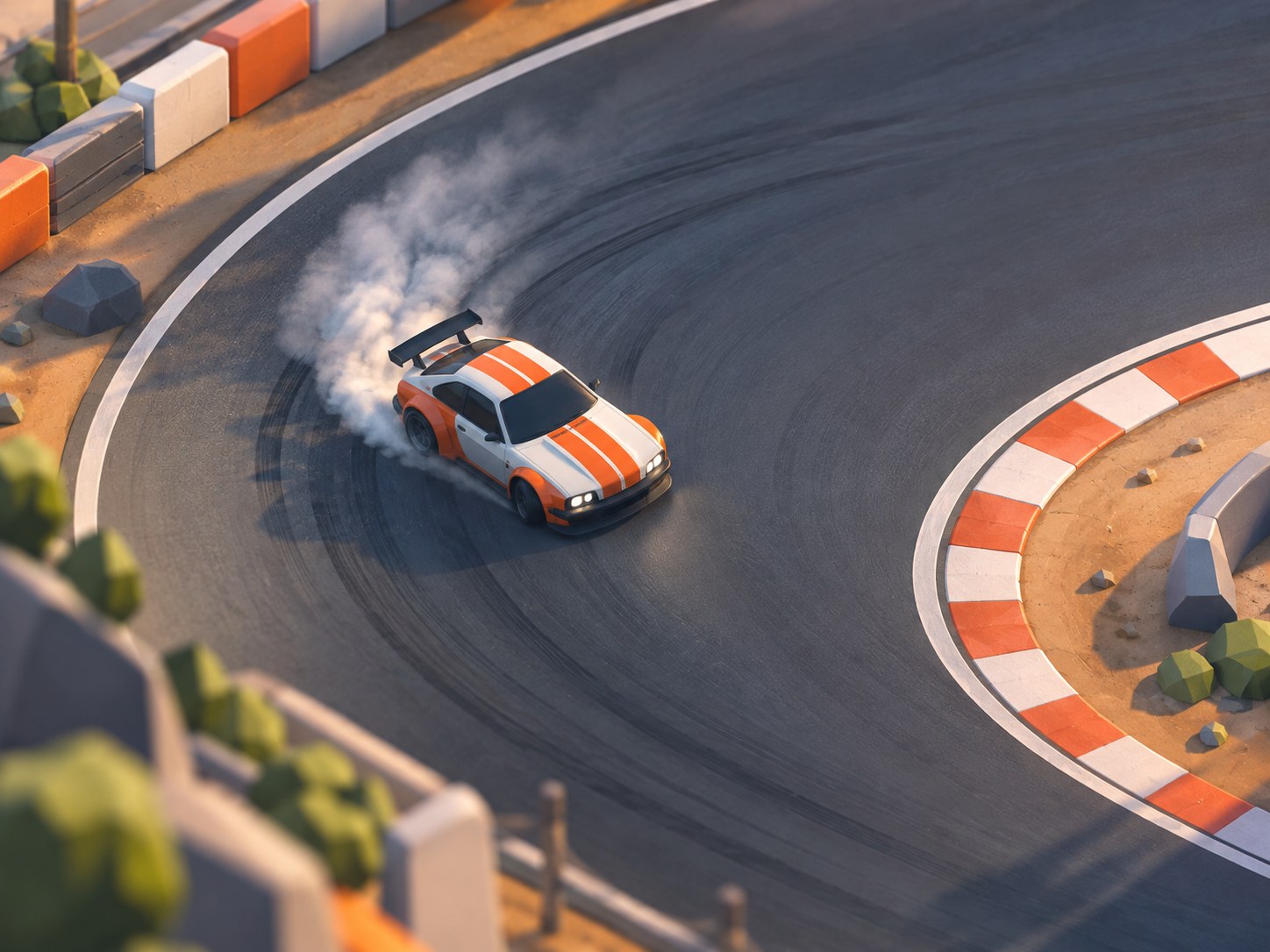
Plenty of people can now create a car game in a single evening. Fewer finish one that feels like driving, and the gap isn't talent or art budget. It's a short list of numbers that decide how much grip the tires have, how fast the steering answers, and what happens after you ask too much of both.
Engines differ, and the failure doesn't. A builder spends two evenings on a track, drives a lap, and something is off. The car turns like it's on rails or slides like it's on ice, and the project stalls before the second corner.
Tool choice comes last here, on purpose. What follows is the order that avoids the stall: the mechanics worth getting right, the first build worth finishing, and where each route stops being enough.
A car game is decided at the corner exit, not on the straight
A tire only pushes sideways up to a point. Past it, the tire lets go, and the feel of a racing game lives in how sharply that drop arrives and how much warning you get first. The gap between where a wheel points and where the car is travelling is the slip angle, and the sideways force it makes climbs to a peak before falling away. A gripping car feels planted right up until the instant it doesn't.
Load moves, and that's the other half of the feel. Brake into a corner and weight shifts forward, the front tires gain grip, the rear tires lose some, and the car rotates. Get on the throttle too early and the reverse happens, which is where a power-on slide comes from. A car with no weight transfer drives like a puck with a paint job, however good the model looks.
Every racing game sits somewhere on that curve. Arcade handling exaggerates the peak and hides the fall, so the car grips hard and slides only when you're clearly at fault. Simulation exposes the whole curve and asks the player to work inside it. Neither is the better choice. The mistake is picking one by accident, which is what happens when you take whatever the tool ships and start painting.
Input rate matters as much as the curve. A keyboard gives full left, nothing, or full right, so the raw value has to be ramped or every tap becomes a swerve. Steering lock should shrink as speed rises too, since the angle that parks a car neatly will spin it at racing speed.
Physics also has to run on a fixed timestep. Otherwise the handling changes with framerate, and a car that felt heavy on your machine turns twitchy on someone else's.
None of this shows up in a screenshot. All of it decides whether a corner exit feels earned.
Why so many people who set out to create a car game end up with a sliding box
You can spot it in thirty seconds. The body rotates around its own centre while still travelling in the old direction, like a shopping trolley with a stuck wheel, and no amount of tire smoke disguises it.
Four causes cover most cases:
- Steering is applied as rotation on the chassis rather than as an angle at the front wheels, so the car pivots instead of turning.
- Front and rear grip use one number, so there's no understeer to read.
- The collision shape is a box and the track is a mesh, so wall contact launches the car upward.
- The camera is welded to the chassis, so a straight and a hairpin feel equally fast.
Each of those is a structure problem, not a polish problem. Retexturing the car fixes none of them, and motion blur on a welded camera only hides the flatness for a lap.
Scale is the other trap. Builders draw the track they can picture, then find the car's turning circle doesn't fit the corners. A hairpin that looked generous on a sketch becomes a three-point turn once the wheelbase is real. Test the tightest corner first. If the car can't take it at speed, the track is wrong, not the driver.
What the first build should contain before you open a track editor
Strip the project to a car, a flat plane, and a clock. That's the whole first build, and it's the only version worth testing before you invest in scenery.
- Drop the car on a flat plane with no walls and no props.
- Expose three values you can edit while the game runs: engine force, brake force, and maximum steer angle.
- Place one trigger at each end of the plane and wire a lap timer to the second one.
- Bind a key to respawn the car upright at the last trigger, so a spin costs a second instead of a restart.
- Drive for ten minutes and write down the single moment that annoyed you most.
Handling first, scenery later.
Fix that one moment, then drive again. Ten minutes on an empty plane tells you more than a week of track building, because there's nothing to look at and nowhere to hide a bad front end.
Track width follows the car's turning circle, not the reverse. Lay out corners at the width the car needs, then add a barrier that slows you down instead of flinging you into the air. A tree every few hundred metres reads as speed better than a dense forest does. The eye needs gaps to measure motion against.
No-code builders let you create a car game in an afternoon, then charge you at the axle
Construct 3 and GDevelop both put a moving car on screen without a line of code. What they hand you is a movement behavior with values for top speed, acceleration, and steering rate. What they don't hand you is a tire, so the handling is arcade by default, tuned by three sliders and trial laps.
Everything in Construct 3 happens in a browser tab, so there's nothing to install and the project lives in the browser rather than in a folder on disk, and the license is a subscription. GDevelop is built on an open-source engine, free for web and Android publishing, with iOS behind a paid plan. Both are 2D-first: a top-down racer with a drift mechanic is within reach, and a chase-camera 3D racer isn't.
Godot takes the other road. Its VehicleBody3D node implements a raycast vehicle, one wheel node per wheel, driven through brake, engine force, and steering values. You get suspension travel and per-wheel grip, and you pay in GDScript and an afternoon of docs. Unity's WheelCollider does the same job with a tire curve you tune yourself.
Here's the split, arranged by what each tool asks of you rather than by feature count.
Tool | How the car moves | What you write | Ships to |
|---|---|---|---|
Construct 3 | Preset car behavior, arcade grip | Event sheets, no code | Browser, desktop, mobile |
GDevelop | Preset behavior or 2D physics | Event list, no code | Web and Android free, iOS paid |
Godot 4 | Raycast vehicle body, one node per wheel | GDScript or C# | Desktop, mobile, web |
Unity | Wheel colliders plus a tire model you tune | C# | Desktop, mobile, consoles with a license |
Binkbink | Generated arcade rules, no tire model | A written prompt | Android app, browser link |
Read the third column as the real constraint. Every hour learning an event sheet is an hour not spent on grip. Most no-code car game makers stop at arcade handling because that's what their audience finishes and shares. A racing game maker that ships 3D needs a vehicle body, and that needs tuning.
Can an AI tool create a car game you'd steer twice?
Yes, if the game you want is about traffic rather than traction. Generation starts from a description: you name the view, the controls, the goal, and what ends a run, and the tool builds rules, art, and a scoring loop around that. On Binkbink the result arrives playable in the app or behind a share link. Nothing here simulates a tire.
What that buys you is a game where the challenge is reading the road: lane changes, gaps that close, gates that reward a clean line. Dodge traffic for ninety seconds and you have a complete loop. Ask for weight transfer, trail braking, or a car that snaps into oversteer, and the request has nowhere to land. There's no per-wheel model underneath.
Most of the work happens in the prompt, so write it in the order the game runs:
- Name the camera and controls in one clause, for example a top-down highway where left and right change lanes and forward accelerates.
- Name the failure state and the score, so the run has a shape rather than an endless road.
- Describe the road in a sentence: what appears, how it changes, what the player has to do about it.
- Change one thing per revision, then replay. Rewriting the whole prompt after every run teaches you nothing about which change moved the feel.
Tuning is the honest limit. A generated car game can be fun, shareable, and finished in an evening, and it won't have a grip curve you can adjust because the corner exit feels loose. That's the trade, and it's worth naming before you start.
Match the tool to the handling you're chasing, not to the screenshots
Handling taste sorts builders into three groups before any tool gets opened, and the sorting question is simple: what should the car do while it's already sideways?
If the answer is that the rear steps out and you catch it with opposite lock, you want a 3D vehicle body and a tire model. Godot or Unity, months of evenings, and a project that feels worse than the reference for months before it feels better.
A powerslide on a flat plane with a combo counter and a drift score points at a no-code car game, which gets you there faster than an engine will. Construct 3 and GDevelop both handle that scale, and the limit you hit is art and level count rather than physics.
If the car is a delivery mechanism for a joke, an AI car game is the right shape. The handling only has to be readable, and readable is what generated rules are good at.
Where each route runs out of road
No-code stops at the preset. The moment you want a front end that grips harder than the rear, or a handbrake that changes the slip curve rather than the speed value, you're hunting plugins or writing the behavior yourself. You've paid an engine's learning cost without getting its control.
AI generation stops earlier, in a different place. Difficulty curves, hand-placed hazards, and a track that teaches a lesson on lap three need authoring tools a prompt doesn't expose. You can describe a harder version and get one. You can't describe the rhythm of a corner sequence and get it back.
Engines don't stop so much as cost. Nothing is designed for you, so the first month goes into a camera, a menu, and a respawn system instead of a car.
Multiplayer is the wall all three share. Wheel-to-wheel racing needs physics that agree on both machines, and none of these routes hands you that. If racing other people is the point, budget months and expect the netcode to be the hard part rather than the handling.
Pick the ceiling you can live with, not the demo that looked best.
Whatever you pick, the first hour should end with a car you can slide on purpose. If it can't, no track will rescue it. Once it can, the next decision is a corner worth learning and a lap time worth beating. By then the tool has stopped mattering much.